IModelLayoutGroup.IsCollapsibleGroup Property
Specifies whether a layout group can be collapsed.
Namespace: DevExpress.ExpressApp.Model
Assembly: DevExpress.ExpressApp.v22.2.dll
NuGet Package: DevExpress.ExpressApp
Declaration
Property Value
| Type | Default | Description |
|---|---|---|
| Boolean | false |
|
Remarks
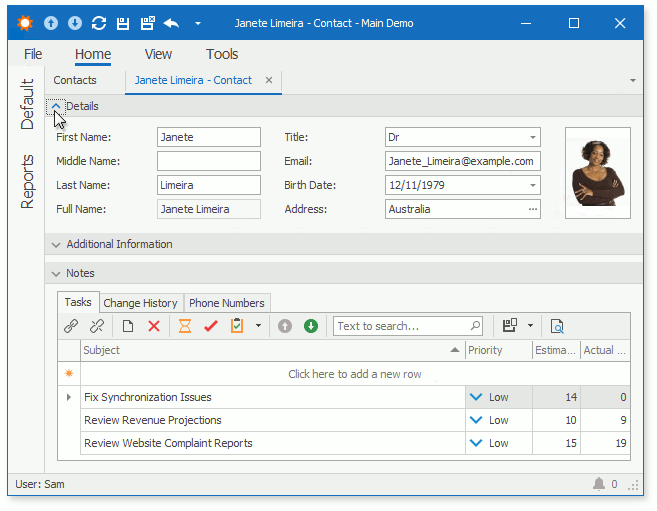
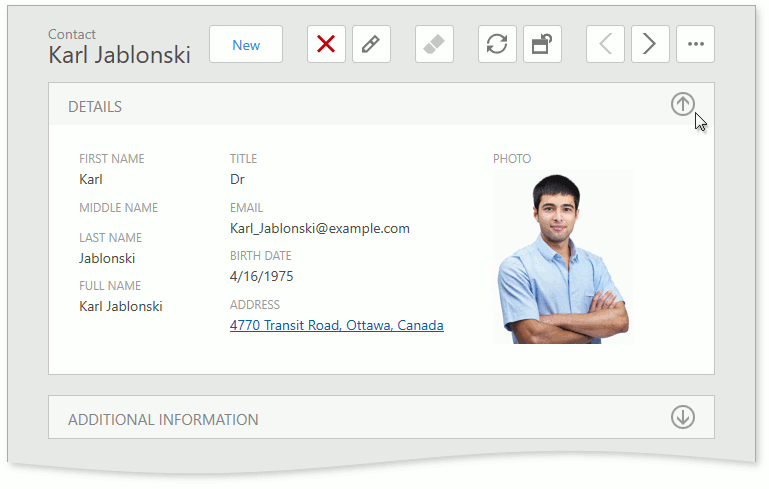
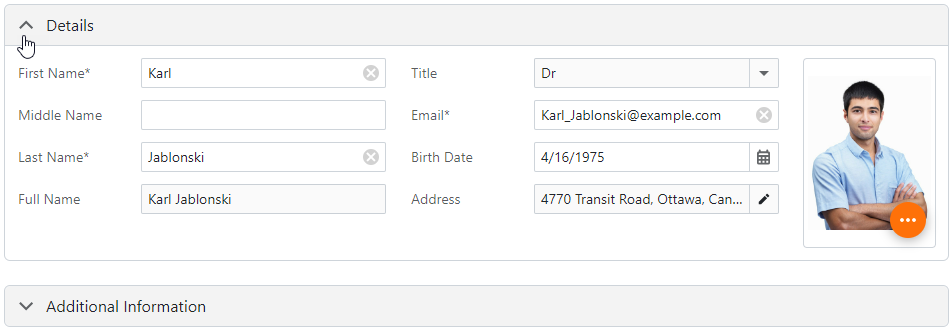
The IsCollapsibleGroup property enables the expand/collapse button in a group of View Items. This feature helps users to organize complex Detail Views in WinForms, ASP.NET Web Forms, and ASP.NET Core Blazor applications.
- WinForms
- ASP.NET Web Forms
- ASP.NET Core Blazor
To make a selected group collapsible in WinForms, ASP.NET Web Forms, and ASP.NET Core Blazor projects, invoke the module project’s Model Editor. Navigate to the Views | <DetailView> | Layout node, expand the layout group node, focus the group item node, and set the IsCollapsibleGroup property value to True.
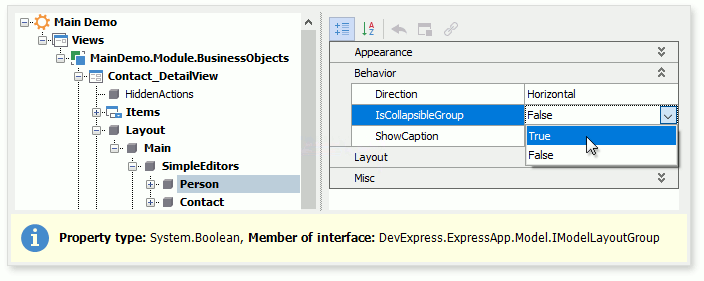
Alternatively, you can access this property in a platform-specific module or application project, and change the setting for the WinForms, ASP.NET Web Forms, or ASP.NET Core Blazor project.
Note that in ASP.NET Web Forms projects, the IsCollapsibleGroup property is applicable only to card groups. For additional information about card groups, refer to the following topic: IModelViewLayoutElementWeb.IsCardGroup.