TimePicker Class
Represents a TimePicker control.
Namespace: DevExpress.Xpf.Editors
Assembly: DevExpress.Xpf.Core.v22.2.dll
NuGet Package: DevExpress.Wpf.Core
Declaration
Remarks
The TimePicker control consists of a clock face and a time edit box.
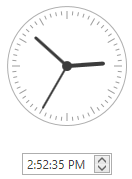
Use the DateTime property to get or set a TimePicker value.
When the DateTime property value is changed, the DateTimeChanged event occurs.
You can use the MinValue and MaxValue properties to set a range of allowed values that end users can select.
Integrate to DateEdit
You can integrate the TimePicker control in the DateEdit‘s popup:
DateEdit with TimePicker and Calendar
Pass the DateEditNavigatorWithTimePickerStyleSettings object to the DateEdit‘s StyleSettings property.
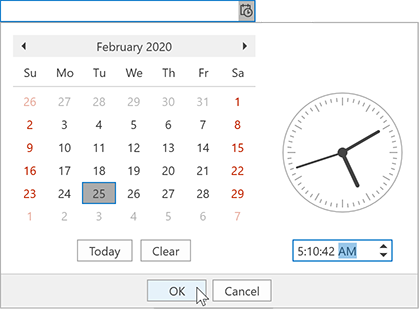
<dxe:DateEdit Mask="G" MaskUseAsDisplayFormat="True">
    <dxe:DateEdit.StyleSettings>
        <dxe:DateEditNavigatorWithTimePickerStyleSettings/>
    </dxe:DateEdit.StyleSettings>
</dxe:DateEdit>
DateEdit with TimePicker
Pass the DateEditTimePickerStyleSettings object to the DateEdit‘s StyleSettings property.
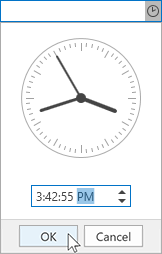
<dxe:DateEdit Mask="T" MaskUseAsDisplayFormat="True">
    <dxe:DateEdit.StyleSettings>
        <dxe:DateEditTimePickerStyleSettings/>
    </dxe:DateEdit.StyleSettings>
</dxe:DateEdit>