Dashboard Data Source Wizard
The Dashboard Data Source Wizard allows you to create and configure data sources.
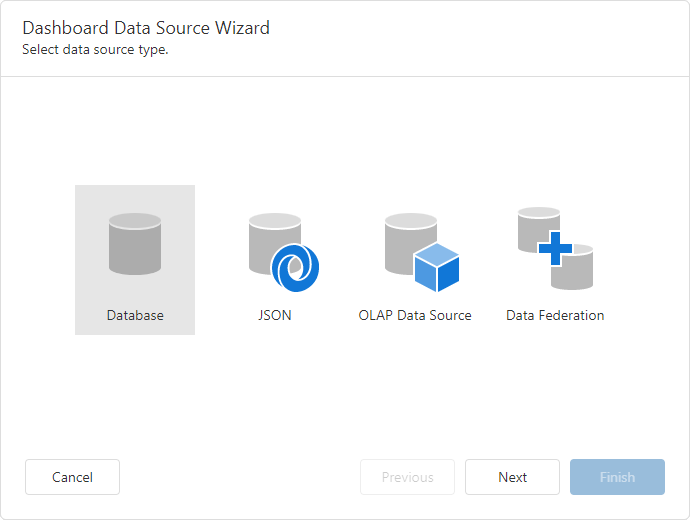
To open the Dashboard Data Source Wizard, do the following:
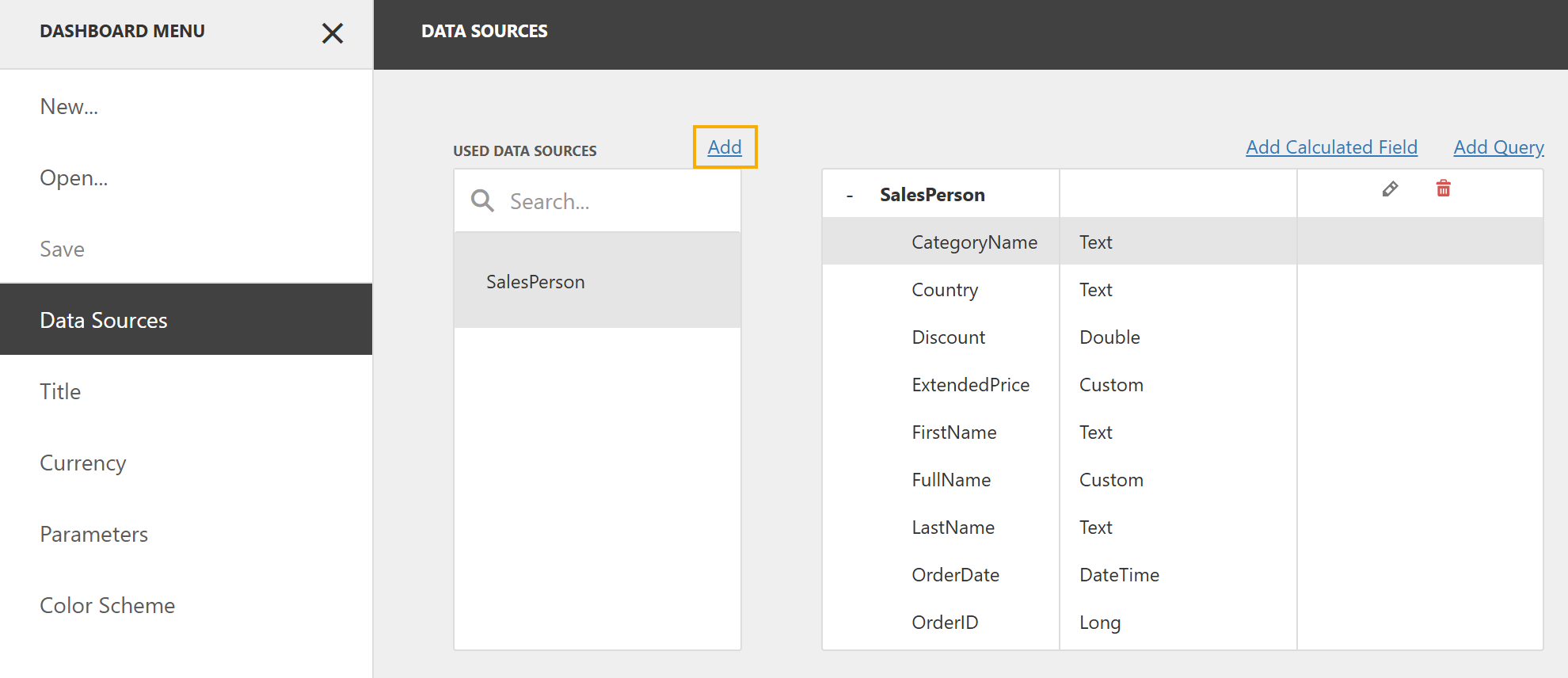
- In the Dashboard Menu, click Data Sources.
Click Add to add a data source.
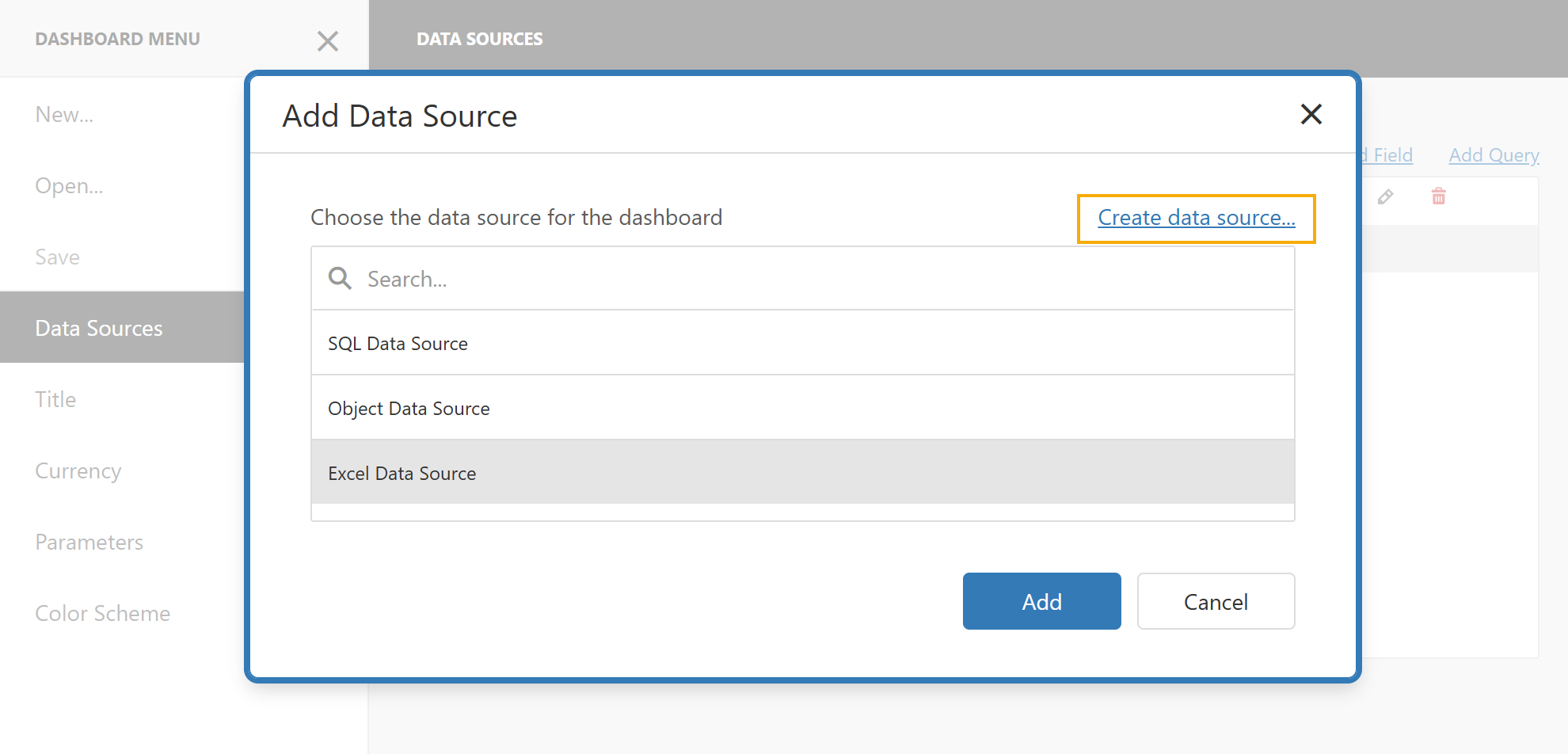
Click Create data source… to open the Dashboard Data Source Wizard.
Data Source Types
- Database
- Obtains data from all major data providers (Microsoft SQL Server, XML data, Microsoft Access, Oracle, etc.).
- JSON
- Connects to JSON-formatted data.
- OLAP Data Source
- Connects to OLAP cubes.
- MongoDB
- Creates a MongoDB data source.
- Data Federation
- Creates a federated data source from the existing data sources.
Tip
You can customize data source types displayed on the wizard’s start page.
See the following help topic for more information: Hide Data Source Types.
See Also