Tool Calling API
- 2 minutes to read
AI Tool Calling API integrates application logic with natural language interaction. It allows the AI to analyze requests, select appropriate tools, resolve target instances, and invoke application methods at runtime in response to user prompts. Developers expose functionality as AI tools by annotating methods with metadata attributes. Each tool describes its purpose, input parameters, and (optionally) the target object on which it operates.
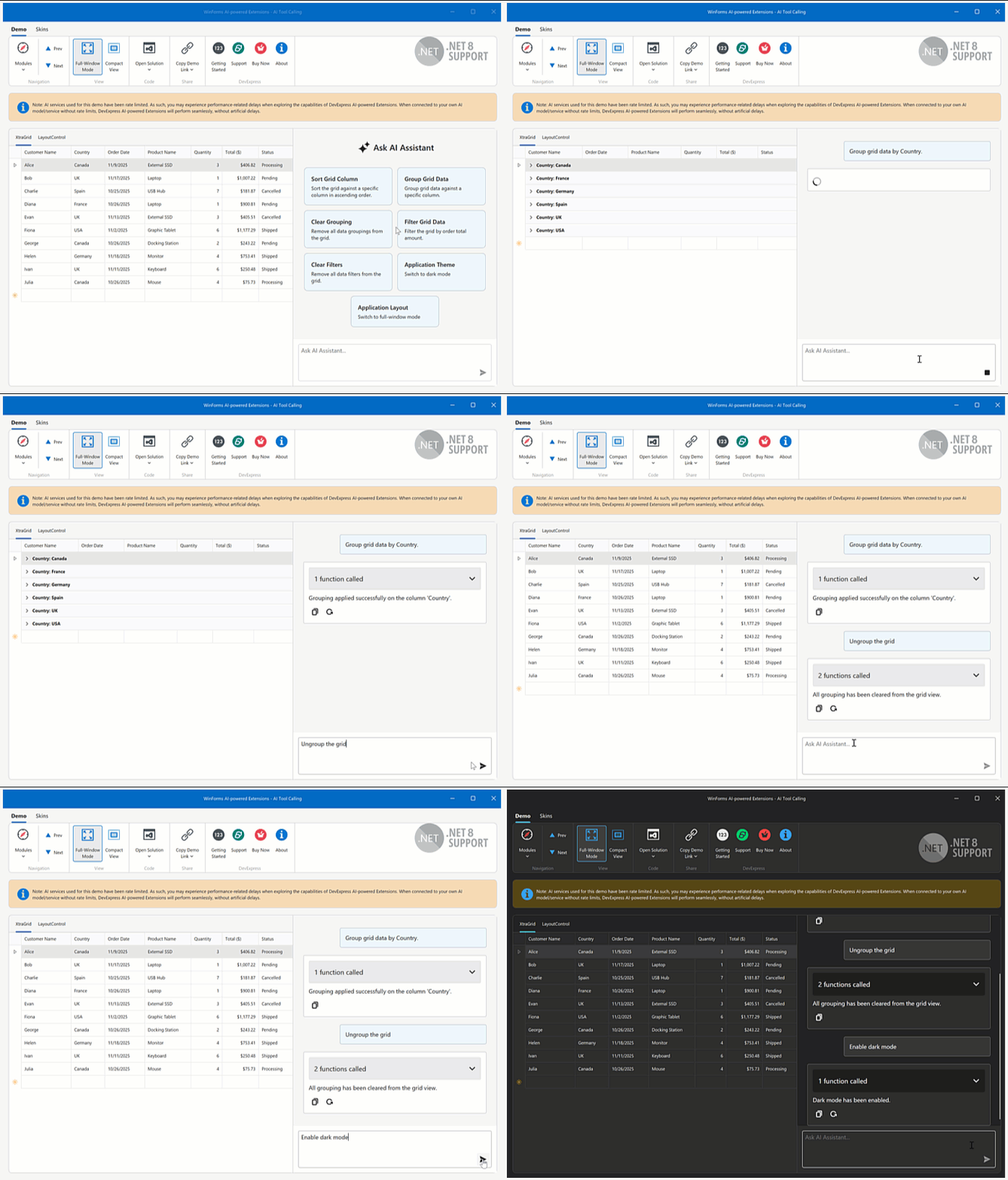
The DevExpress implementation extends the standard tool calling (also known as function calling) model with the following advanced capabilities:
- Target-Aware Tools
- Tools can operate on specific object instances (for example, UI controls, data services, ViewModels, forms, or custom business objects). The AI automatically resolves the correct target at runtime based on context and description.
- Flexible Tool Contexts
- Tools can be grouped into contexts — logical collections that can be added, removed, or temporarily disabled at runtime.
- Seamless Integration with the AI Chat Control
- The WinForms AI Chat Control automatically discovers and merges tools from all registered contexts. During a conversation, the AI handles tool selection, target resolution, parameter binding, and method invocation.
See the following help topic for more information: AI Tool Calling.
Display Tool Information
You can display the information about invoked tools in chat responses. Enable the AIChatControl.IncludeFunctionCallInfo option to include metadata about invoked tools/functions (function names and arguments) in response messages.
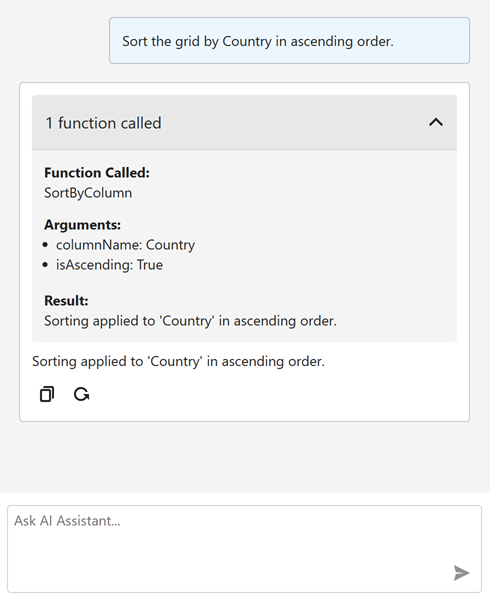
aiChatControl1.IncludeFunctionCallInfo = DevExpress.Utils.DefaultBoolean.True;
The AIChatControl.MessageReceived event is triggered when the AI Chat Control receives a response from the AI service. Handle this event to inspect or modify metadata about invoked tools/functions before they are displayed in the chat UI.
The following code snippet removes internal function calls and arguments that are not intended for user display:
void AiChatControl1_MessageReceived(object sender, AIChatControlMessageReceivedEventArgs e) {
    if (e.Message.FunctionCalls.Count > 0) {
        // Remove the information about the GetToolTargets function used internally by the LLM to select a tool target.
        if (e.Message.FunctionCalls.RemoveAll(fcall => fcall.Request.Name == "GetToolTargets") > 0) {
            e.Message.FunctionCalls.ForEach(fcall => {
                foreach (var argument in fcall.Request.Arguments.Keys.ToList())
                    // Remove internal '*_identifier' arguments from function calls.
                    // These arguments specify target selection information and are not intended for user display.
                    if (argument.EndsWith("_identifier"))
                        fcall.Request.Arguments.Remove(argument);
            });
        }
    }
}