Manage Multiple Chat Clients
- 2 minutes to read
The WPF AI Chat Control supports multiple AI services in a single application, which enables you to compare AI providers, separate conversation contexts, and provide specialized AI assistants for different user tasks.
Register Multiple AI Services
Register multiple AI services and distinguish them by a unique key.
using DevExpress.AIIntegration;
using DevExpress.Xpf.Core;
using Microsoft.Extensions.AI;
using Microsoft.Extensions.DependencyInjection;
using OllamaSharp;
using System;
using System.ClientModel;
using System.Windows;

namespace DXWPFMultipleChatClients {
    public partial class App : Application {
        static App() {
            CompatibilitySettings.UseLightweightThemes = true;

            // Create an Azure OpenAI client.
            var azureOpenAiClient = new Azure.AI.OpenAI.AzureOpenAIClient(AzureOpenAIEndpoint, AzureOpenAIKey);

            // Create an Ollama API client.
            IChatClient ollamaClient = new OllamaApiClient(new Uri("http://localhost:11434/"), "MODEL_NAME");

            // Create a service collection to register AI chat clients.
            var serviceCollection = new ServiceCollection();

            // Register the Azure OpenAI client with a unique key.
            serviceCollection.AddKeyedChatClient("azureOpenAIClient", azureOpenAiClient.GetChatClient(ModelId).AsIChatClient());

            // Register the Ollama client with a different key.
            serviceCollection.AddKeyedChatClient("ollamaClient", ollamaClient);

            // Add DevExpress AI Desktop services (required for AIChatControl).
            serviceCollection.AddDevExpressAIDesktop();
        }

        private static Uri AzureOpenAIEndpoint = new Uri("YOUR_AZURE_END_POINT");
        private static ApiKeyCredential AzureOpenAIKey = new ApiKeyCredential("YOUR_OPENAI_API_KEY");
        static string ModelId = "MODEL_NAME";   // For example, gpt-4o-mini
    }
}
Run Independent AI Chats Side by Side
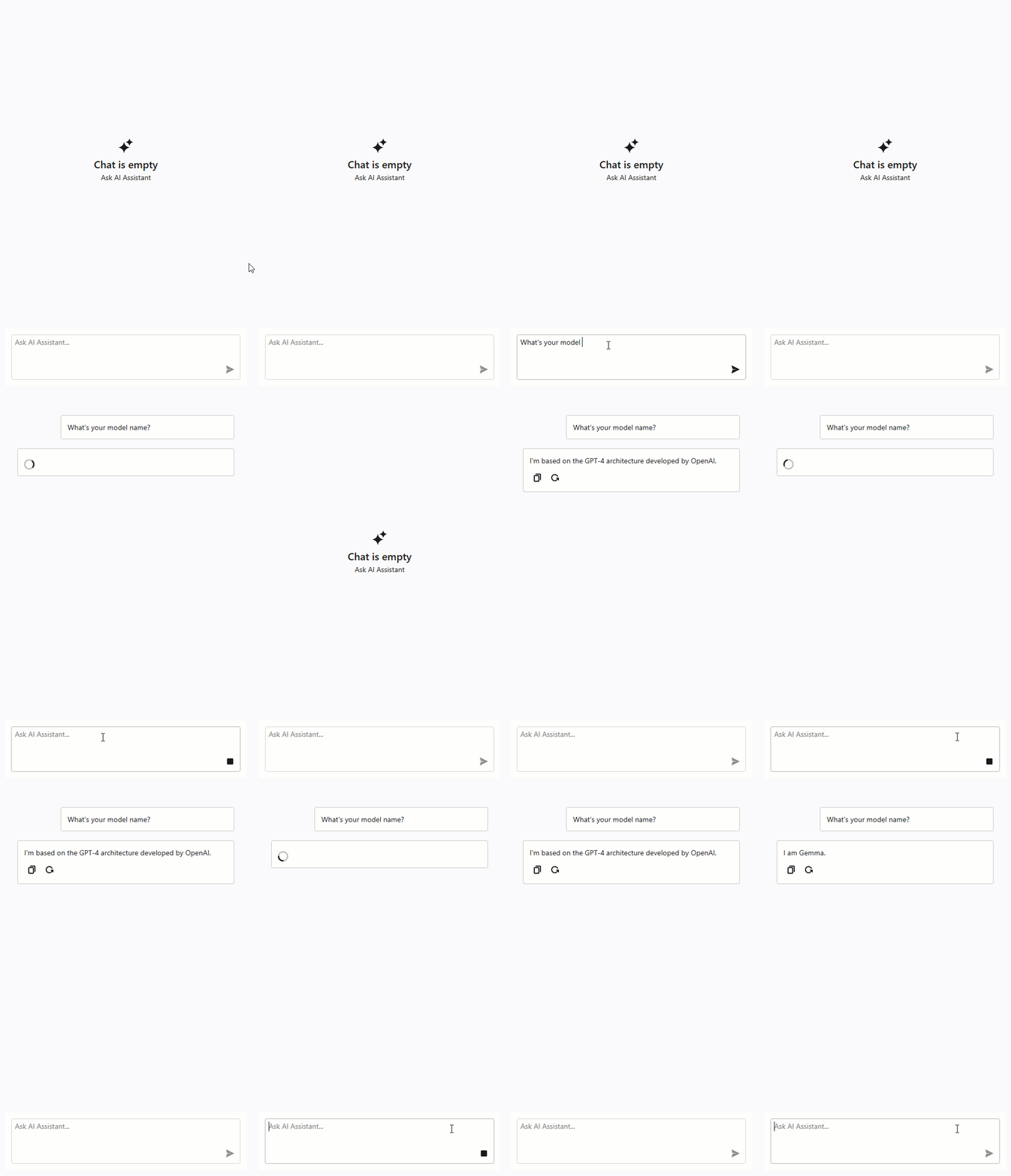
Place several AIChatControl instances within a window and specify a different ChatClientServiceKey for each chat control to interact with different AI services.
<dx:ThemedWindow
    x:Class="DXWPFMultipleChatClients.MainWindow"
    xmlns="http://schemas.microsoft.com/winfx/2006/xaml/presentation"
    xmlns:x="http://schemas.microsoft.com/winfx/2006/xaml"
    xmlns:dx="http://schemas.devexpress.com/winfx/2008/xaml/core"
    xmlns:dxaichat="http://schemas.devexpress.com/winfx/2008/xaml/aichat"
    Title="MainWindow" Height="800" Width="1000">
    <Grid>
        <Grid.ColumnDefinitions>
            <ColumnDefinition Width="*"/>
            <ColumnDefinition Width="*"/>
        </Grid.ColumnDefinitions>
        <dxaichat:AIChatControl
            x:Name="azureChat"
            ChatClientServiceKey="azureOpenAIClient"
            HorizontalAlignment="Stretch"
            VerticalAlignment="Stretch"
            Margin="10"/>

        <dxaichat:AIChatControl
            x:Name="ollamaChat"
            ChatClientServiceKey="ollamaClient"
            HorizontalAlignment="Stretch"
            VerticalAlignment="Stretch"
            Margin="10"
            Grid.Column="1"/>
    </Grid>
</dx:ThemedWindow>
The following animation illustrates the result:
Switch Between AI Services or AI Agents
Use a single AIChatControl and modify its ChatClientServiceKey property to switch between AI services or AI agents.
Troubleshooting
There is no registered service of type Microsoft.Extensions.AI.IChatClient
This error occurs when the AIChatControl cannot find a registered chat client that matches its configuration.
Do one of the following:
- Check ChatClientServiceKey
- Ensure that the
AIChatControl.ChatClientServiceKeyproperty matches the key of one of the chat clients you registered in the service collection. - Register a Default Chat Client
If you do not assign a
ChatClientServiceKeyto the chat control, register a default chat client in the desktop container to ensure that the chat control can automatically resolve the AI service:AIExtensionsContainerDesktop.Default.RegisterChatClient(chatClient);
See the following help topic for more information: Register AI Client.