TdxCustomDashboardControl.Layout Property
Provides access to the dashboard layout (in XML).
Declaration
property Layout: TStringList read; write;Property Value
| Type | Description |
|---|---|
| TStringList | Stores the current dashboard layout (as XML strings). |
Remarks
A dashboard layout definition contains data visualization items, properties, data bindings, and general layout information.
Use the Layout property to load, save, and access the dashboard layout.
Available Options
Call Layout.LoadFromFile/Layout.LoadFromStream and Layout.SaveToFile/Layout.SaveToStream procedures to import and export configured dashboard layouts in the XML format.
In addition, you can use Layout.Strings and Layout.Text properties to access and modify dashboard layout content directly (if required).
Refer to the TStringList class description for detailed information on all available options.
End-User Layout Edit Functionality
Call the ShowDesigner procedure to display the Web-Based [Dashboard Designer] dialog.
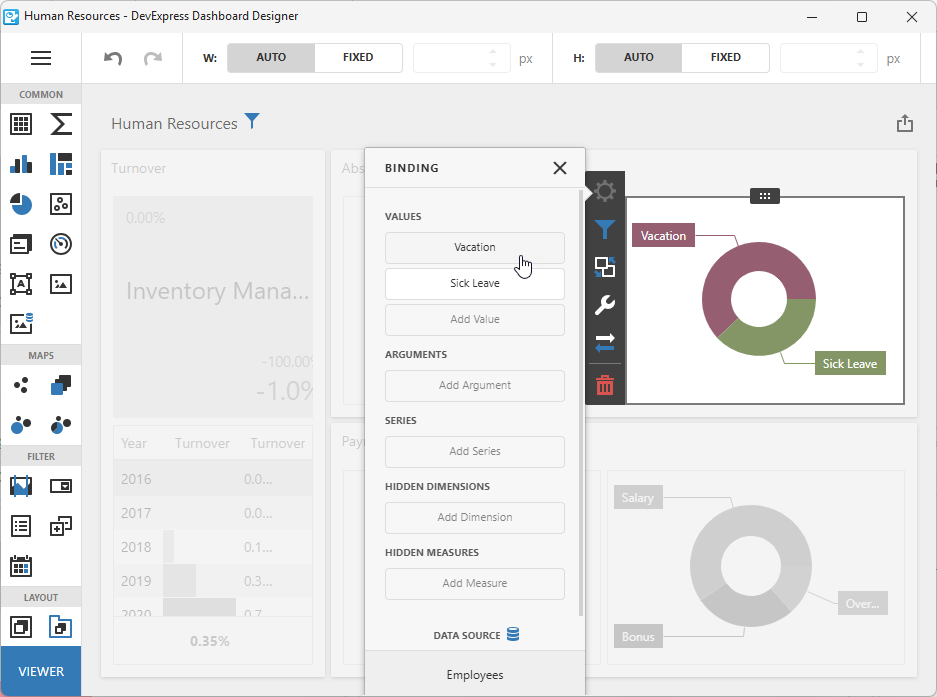
All changes made in this dialog update the Layout property value and raise the OnLayoutChanged event[1]. For example, you can handle this event to save dashboard layout changes to a file or stream.
Tip
Refer to the following topic for detailed information on all tools available for dashboard layout creation: Create Dashboards on the Web.
Dashboard User Interaction States
The State property provides access to the dashboard/user interaction state that includes filter criteria, drill-down values, the active tab page, dashboard parameter values, individual data visualization item states, and other configuration options made by users.
-
The OnLayoutChanged event occurs on every
Layoutproperty value change.