DataViewBase.ShowEmptyText Property
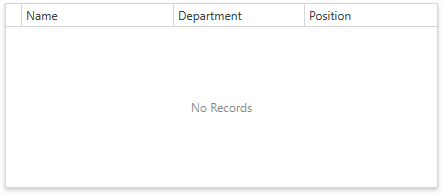
Gets or sets whether to show the No Records text when the GridControl‘s data area displays no records.
Namespace: DevExpress.Xpf.Grid
Assembly: DevExpress.Xpf.Grid.v19.1.Core.dll
Declaration
Property Value
| Type | Default | Description |
|---|---|---|
| Boolean | **false** | true, to show the No Records text; otherwise, false. |
Remarks
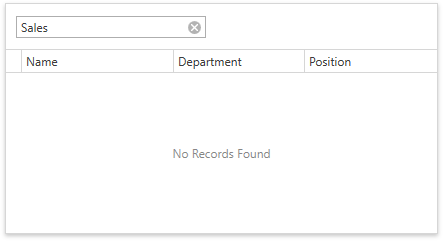
Set the ShowEmptyText property to true to show the No Records text in the following cases:
The GridControl‘s data source is not specified or empty.
A filter/search query has no results.
Note
In master-detail mode, the No Records text is displayed in the master grid only.
Customize Text
- Use the GridControlStringId.NoRecords / GridControlRuntimeStringId.NoRecords localized strings to change the No Records text.
- Use the GridControlStringId.NoRecordsFound / GridControlRuntimeStringId.NoRecordsFound localized strings to change the No Records Found text.
Related GitHub Examples
The following code snippet (auto-collected from DevExpress Examples) contains a reference to the ShowEmptyText property.
Note
The algorithm used to collect these code examples remains a work in progress. Accordingly, the links and snippets below may produce inaccurate results. If you encounter an issue with code examples below, please use the feedback form on this page to report the issue.