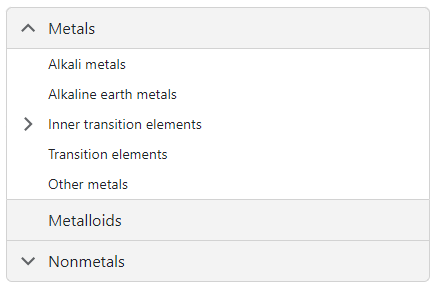
DxAccordion.Data Property
Specifies the data source.
Namespace: DevExpress.Blazor
Assembly: DevExpress.Blazor.v24.2.dll
NuGet Package: DevExpress.Blazor
#Declaration
[Parameter]
public IEnumerable Data { get; set; }#Property Value
| Type | Description |
|---|---|
| IEnumerable | The data source. |
#Remarks
You can populate the Accordion component with items from a data source.
Follow the steps below to bind Accordion to data:
Use the
Dataproperty to specify a data source. You can use different collection types:- Flat data (a collection of items organized as a single-level structure)
- Hierarchical data (a collection of nested items)
Add the DataMappings tag to the component’s markup.
Create the DxAccordionDataMapping instance and map item properties (HasChildren, NavigateUrl, and so on) to data source fields. Mappings are used to assign data from the source collection to the component’s data model.
For flat data collections, use the Key and ParentKey properties to create a hierarchy of items. If the Accordion’s structure is linear, you can omit these properties.
For hierarchical data collections, the Children property is required to build the data model.
You can create multiple
DxAccordionDataMappinginstances to specify different mappings for different nesting levels. Use the Level property to specify the item level for which data mappings are applied.
#Flat Data
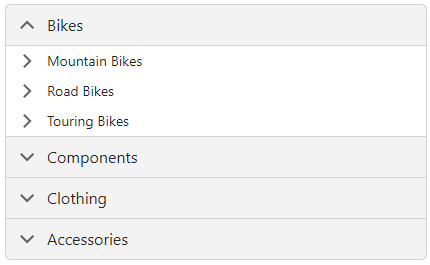
The following code snippet binds the Accordion to the flat collection of data items. It specifies mappings for the Text, Key, and ParentKey properties.
<DxAccordion Data="DataSource">
    <DataMappings>
        <DxAccordionDataMapping Text="Name"
                                Key="Id"
                                ParentKey="CategoryId" />
    </DataMappings>
</DxAccordion>

@code {
    List<FlatDataItem> DataSource { get; set; }

    protected override void OnInitialized() {
        IEnumerable<ProductFlat> products = ProductData.Products;
        IEnumerable<ProductCategory> productSubcategories = ProductData.Categories;
        DataSource = new List<FlatDataItem>(Enum.GetValues<ProductCategoryMain>().Select(i => new FlatDataItem() { Name = i.ToString(), Id = i }));
        DataSource.AddRange(products.Select(i => new FlatDataItem() { Name = i.ProductName, Id = i.Id, CategoryId = i.ProductCategoryId }));
        DataSource.AddRange(productSubcategories.Select(i => new FlatDataItem() { Name = i.Subcategory, Id = i.SubcategoryID, CategoryId = i.Category }));
    }
}
#Hierarchical Data
The following code snippet binds the Accordion to the collection of ChemicalElementGroup objects. Each object can have child objects. The code specifies the Children and Text mappings to adjust the Accordion’s data model to the specified data source.
<DxAccordion Data="@ChemicalElements.Groups">
    <DataMappings>
        <DxAccordionDataMapping Children="Groups"
                                Text="Name"/>
    </DataMappings>
</DxAccordion>